Rythmik Lytt

Create your show

Whether it is a resort lobby, a club, an event, or your own living room: create a new feel of music visuals with our proprietary technology, fused with curated visuals from the best shader artists around the world. It reacts to more than beats and energy: the individual instruments and the melody are analysed deeply and each one drives the picture, a new form of music–visual experience. Cast it to any display, or map it onto your venue's walls and screens with our simple projection-mapping phone app.

EKKOO Display for Windows
Version 0.1.20 · 2026-10-06 · 789 MB
Map once (DR-124), credit card, BG-off/Grid Kick/Mid video/BG sliders fixes, licence card, play reporting
sha256 999cfaf7c6c87c2cc825ea296bae68273285ba2a9041485608feb3ae0e08d75f
Installed by us for now — book a room

Runs on any Windows PC with a good GPU — desktop, laptop or mini PC — with a projector or screen. It asks for a licence key on first start — buy one for your venue ($49/month) or paste the one from your invoice; your phone becomes the remote and the mapping tool.

What a room needs

The box

A Windows PC with a good GPU — desktop, laptop or mini PC, any current Intel/AMD/NVIDIA. It stays on, logs in by itself and starts the show at boot.

The picture

A projector or a screen on HDMI. For walls: roughly 3,000 lumens per 3 m of wall in a dim room, more if the lights stay on. Any throw distance — the mapping handles the shape.

The sound

Either the room's music feed into the box (line-in or USB interface from the DJ or the house system) or the box plays its own tracks. A microphone is the fallback, not the plan.

Ten minutes

Open the phone remote, scan the QR, drag the corners onto the wall, done. Scenes, playlists and brightness are on the same phone page. Wi-Fi only has to reach the box, not the internet.

Not sure about the wall, the light or the audio feed? Send us the room and we tell you what it needs and what it costs.

In the room

Projection mapping

The visuals are cut to the room: walls, pillars, objects, a gauze — each surface gets its own slice of the scene and the music drives all of them at once. Set-up is a camera scan, not an evening of dragging corners.

  • ·Any geometry — the mapping is measured, not modelled
  • ·Per-surface layers: one shader on the wall, another on the pillar
  • ·Driven live from the DJ's audio or from the track itself, with sync measured in milliseconds
Cinema casts
On your TV

Cinema casts

Full sets rendered offline at 4K, frame by frame, with the music baked into the picture — then cast to any TV. Nothing to install on the TV, nothing to sync: the stream is the sync.

  • ·4K, 60 fps, motion-blurred renders of whole sets
  • ·Opens on a TV browser or a Cast receiver, your phone is the remote
  • ·The same scenes you see here, at a quality a browser can't render live
Live scenes that follow your music
In your browser

Live scenes that follow your music

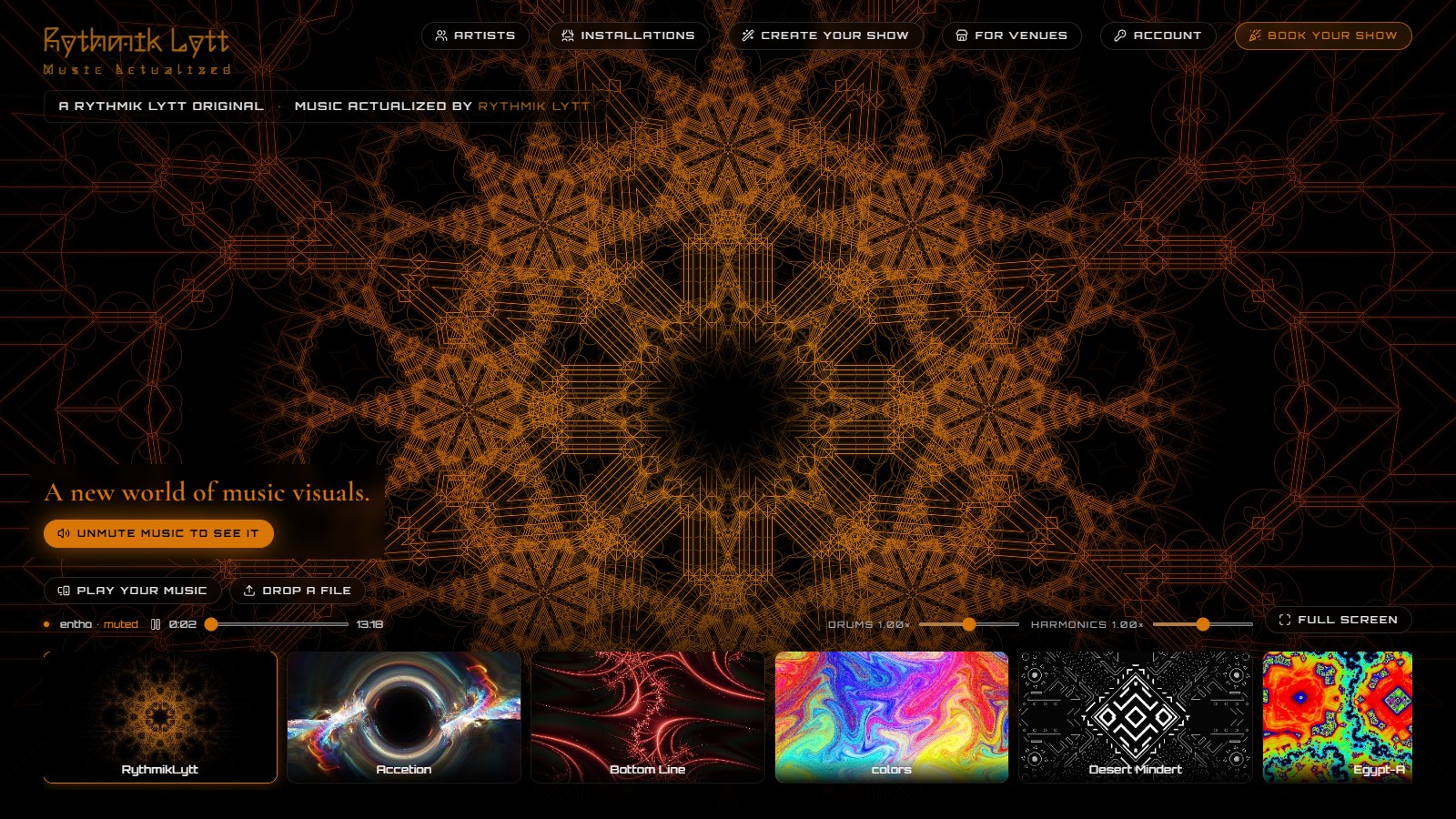
Every scene on the landing page runs live in WebGL and reacts to what you play — its own track, a tab, a file. The mappings between sound and picture were tuned by hand; the Tune panel lets you adjust them to your music.

  • ·Share a tab or drop a file — the scene listens
  • ·Kick, bass, lead, energy: each one drives something you can see
  • ·Tune: change what reacts to what, per browser, without touching the artist's version
Any TV, phone as the remote
Lean back

Any TV, phone as the remote

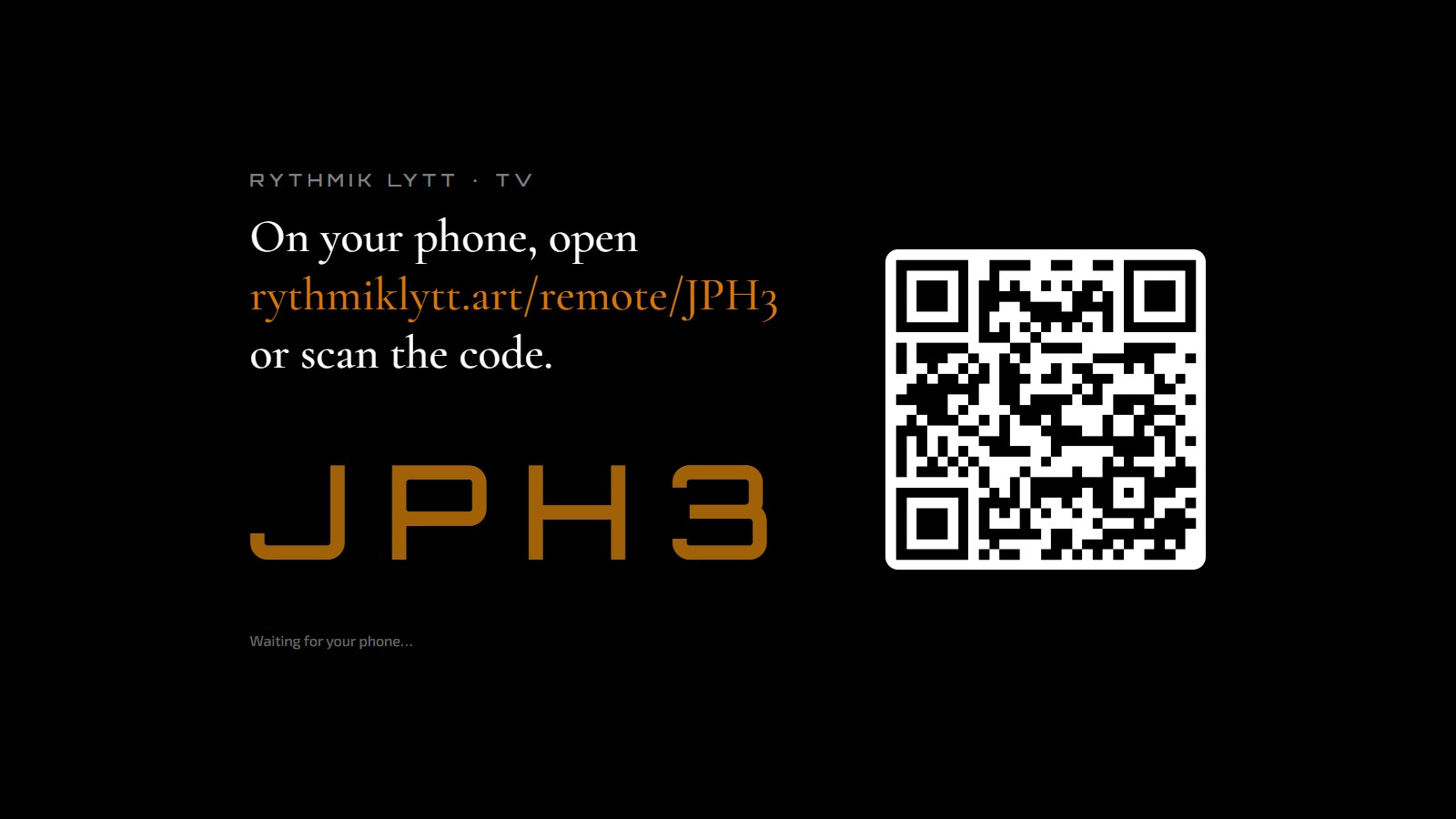
Open the TV page on any smart TV or stick, scan the code with your phone, and you have transport, scene choice, reactivity and sync offset in your hand.

  • ·No app on the TV, no pairing account — a four-letter code
  • ·Scenes with their own track play sample-accurate on the TV
  • ·Upload a file from the phone and the TV plays it, analysed, in sync
Easy mapping, from your phone
  1. Scan — it opens rythmiklytt.art on your phone.
  2. In the browser menu choose Add to Home Screen: Rythmik Lytt becomes a full-screen app, no store needed.
  3. Got a TV? Open rythmiklytt.art/tv on it and your phone is the remote.
In your pocket

Easy mapping, from your phone

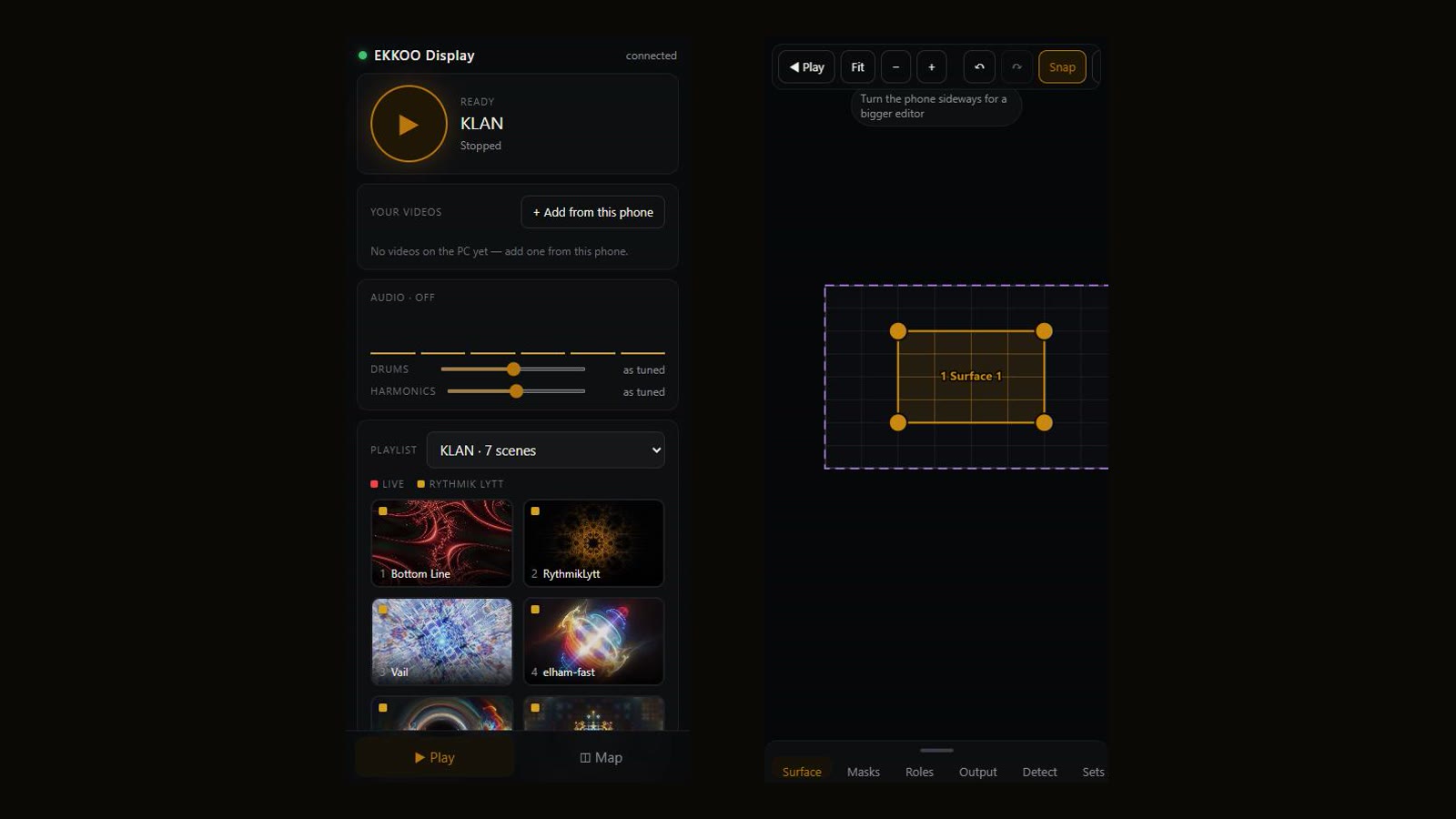
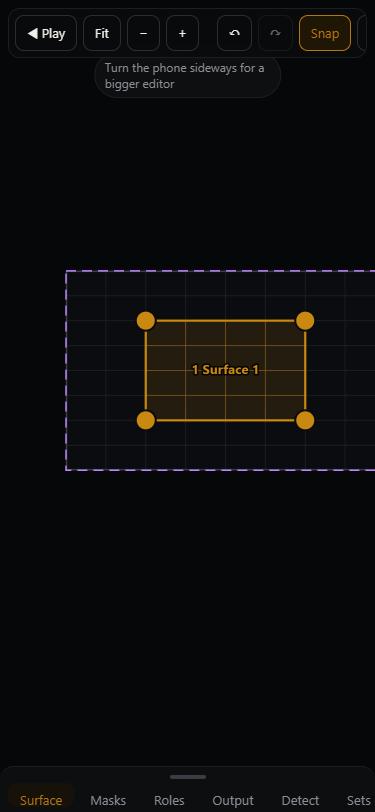
Rythmik Lytt installs from the browser: scan, open it on your phone, add it to the home screen, and it runs full-screen like any app. The map editor is the same page — drag the picture onto the walls from where you stand.

  • ·Easy mapping from your phone: surfaces, masks, keystone — drag the corners, done
  • ·Add to Home Screen on iPhone and Android
  • ·The remote for a TV or a room is the same page
Artists, credited and paid
Who made it

Artists, credited and paid

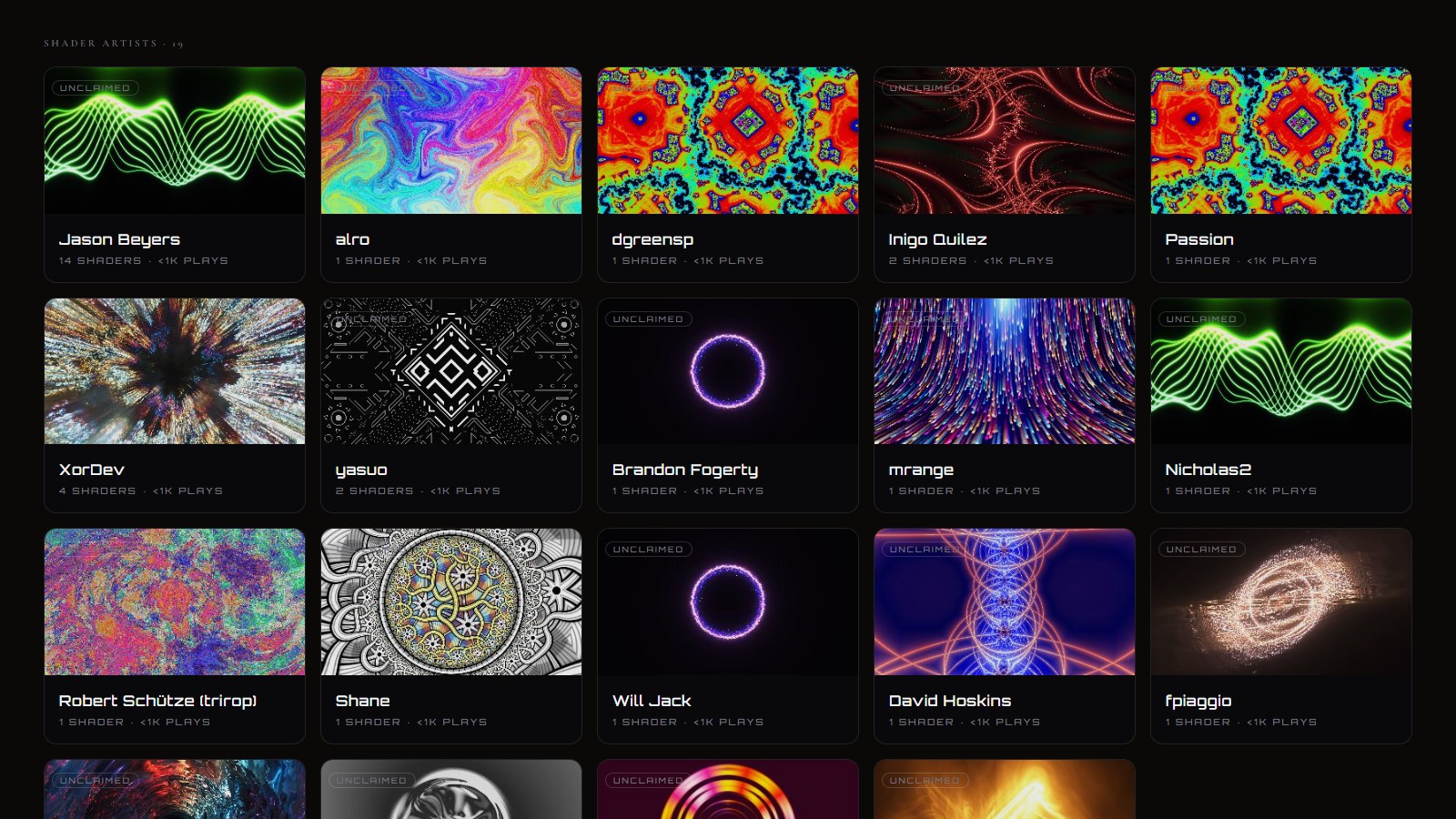
Each shader on the site belongs to someone. They get a profile, a play count on every screen the work reaches, and a share of what the project earns — opt-in, with the formula printed on the page.

  • ·Credit card at the start of every scene, here and in the room
  • ·Claim your profile, pick the scene that greets visitors, upload new work
  • ·Early days: the pool is small and the numbers say so

Inside the apps

The screens behind the shows: the studio where a track becomes a set, the map editor that cuts it to the room, and the player a venue runs.

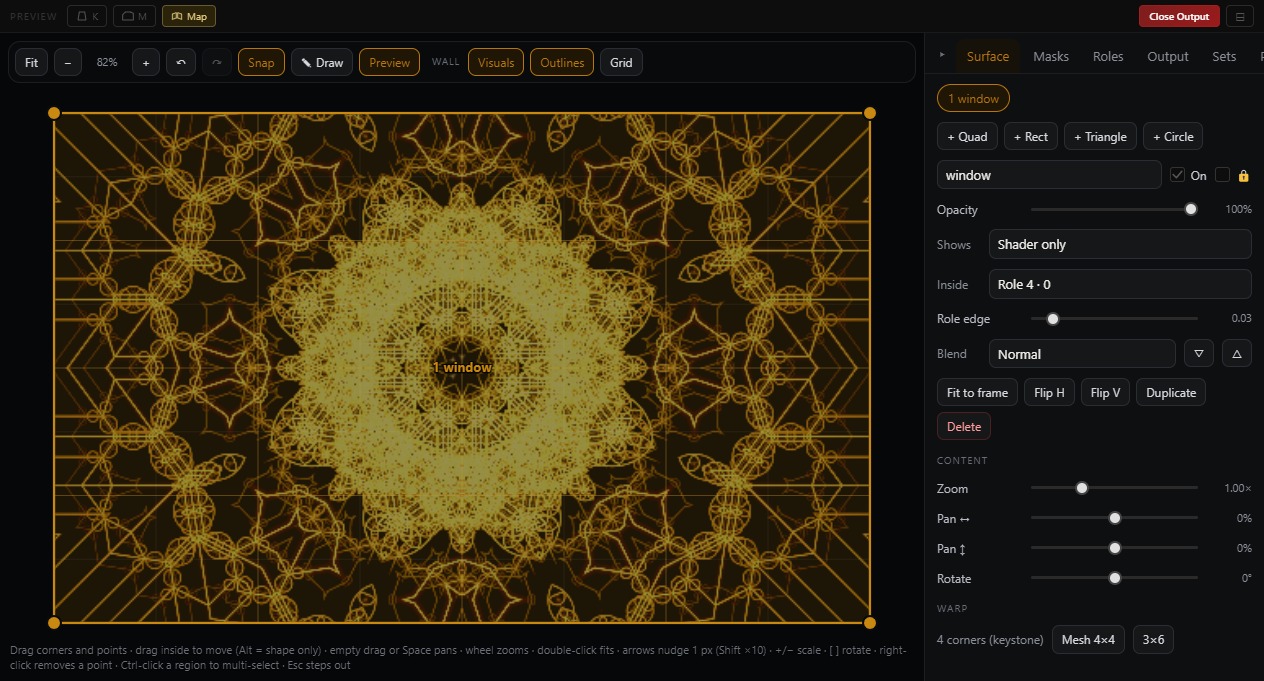
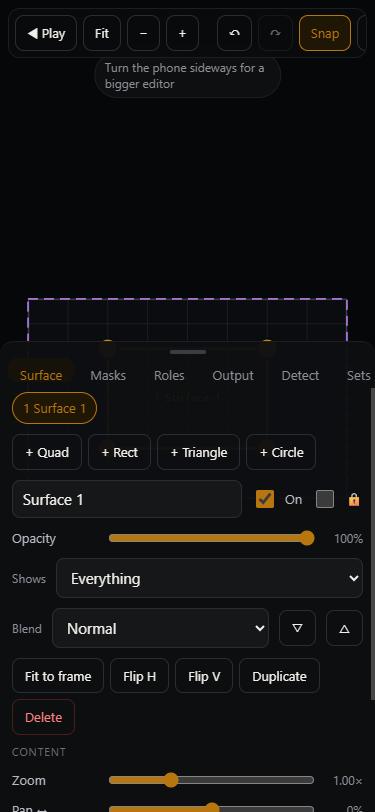
The map editor — surfaces, roles, keystone and mesh, on a phone or any browser
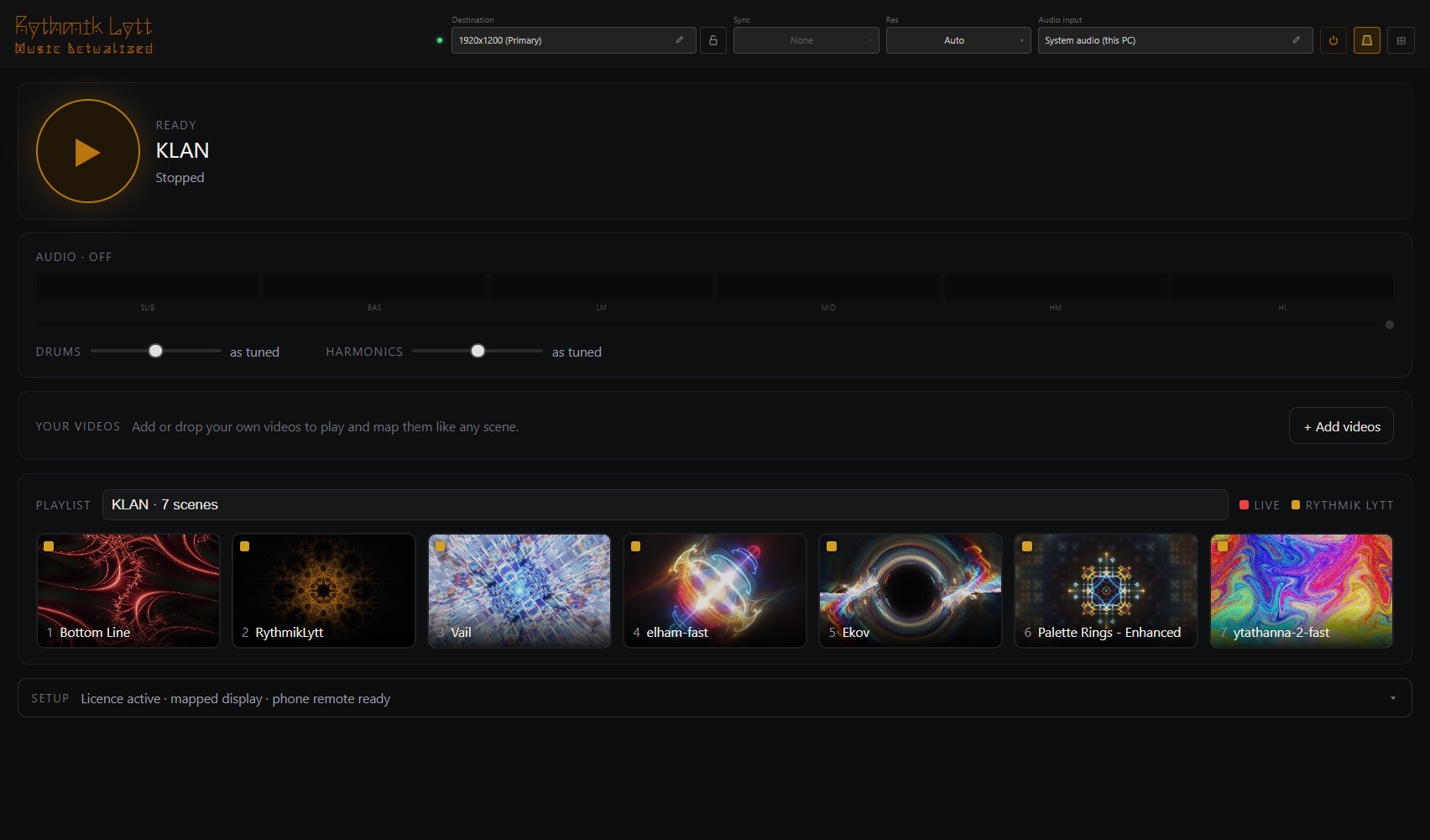
Display — the venue player: press play, the room runs the night
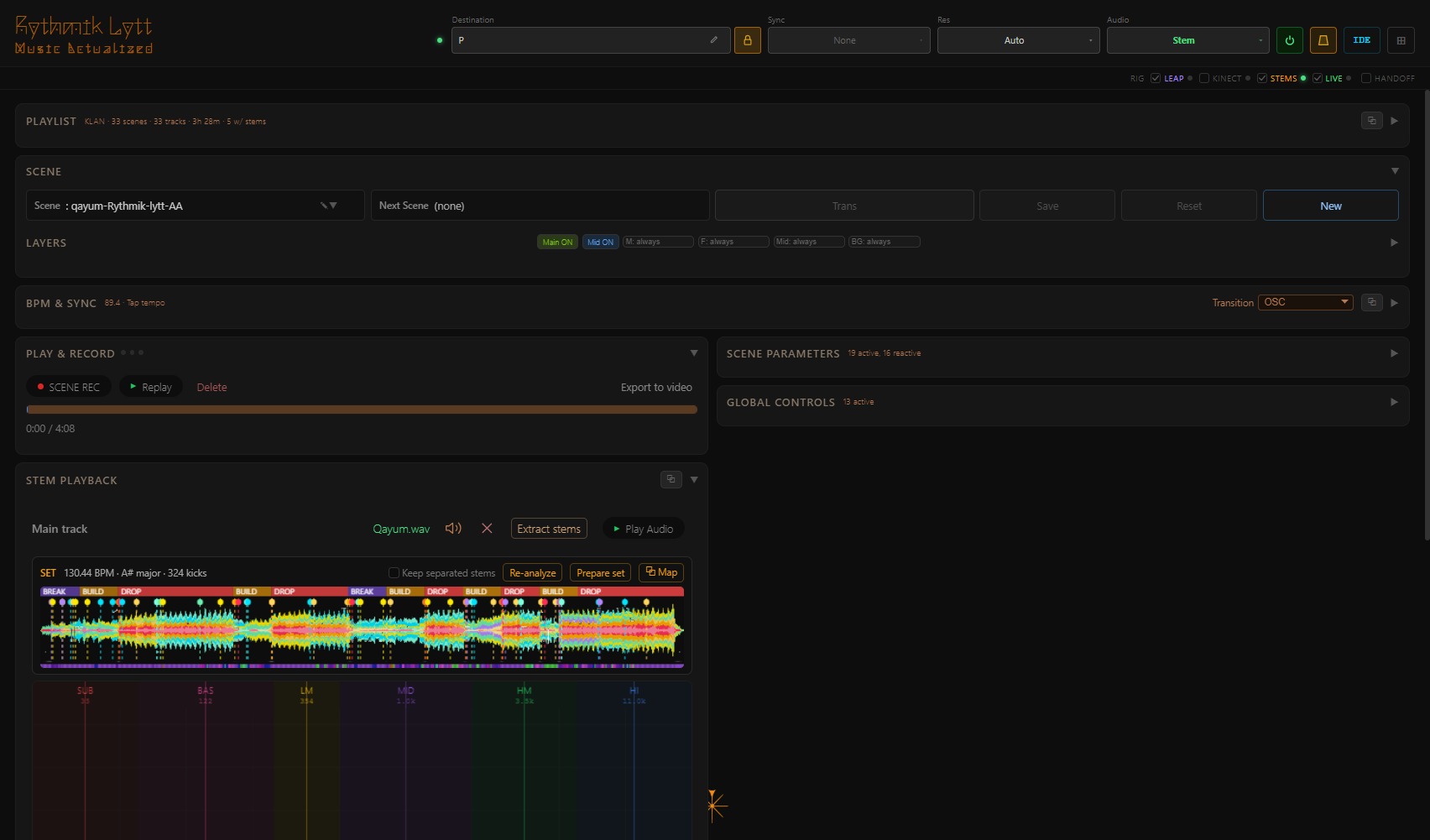
Studio — a track prepared into a set: kick grid, builds and drops
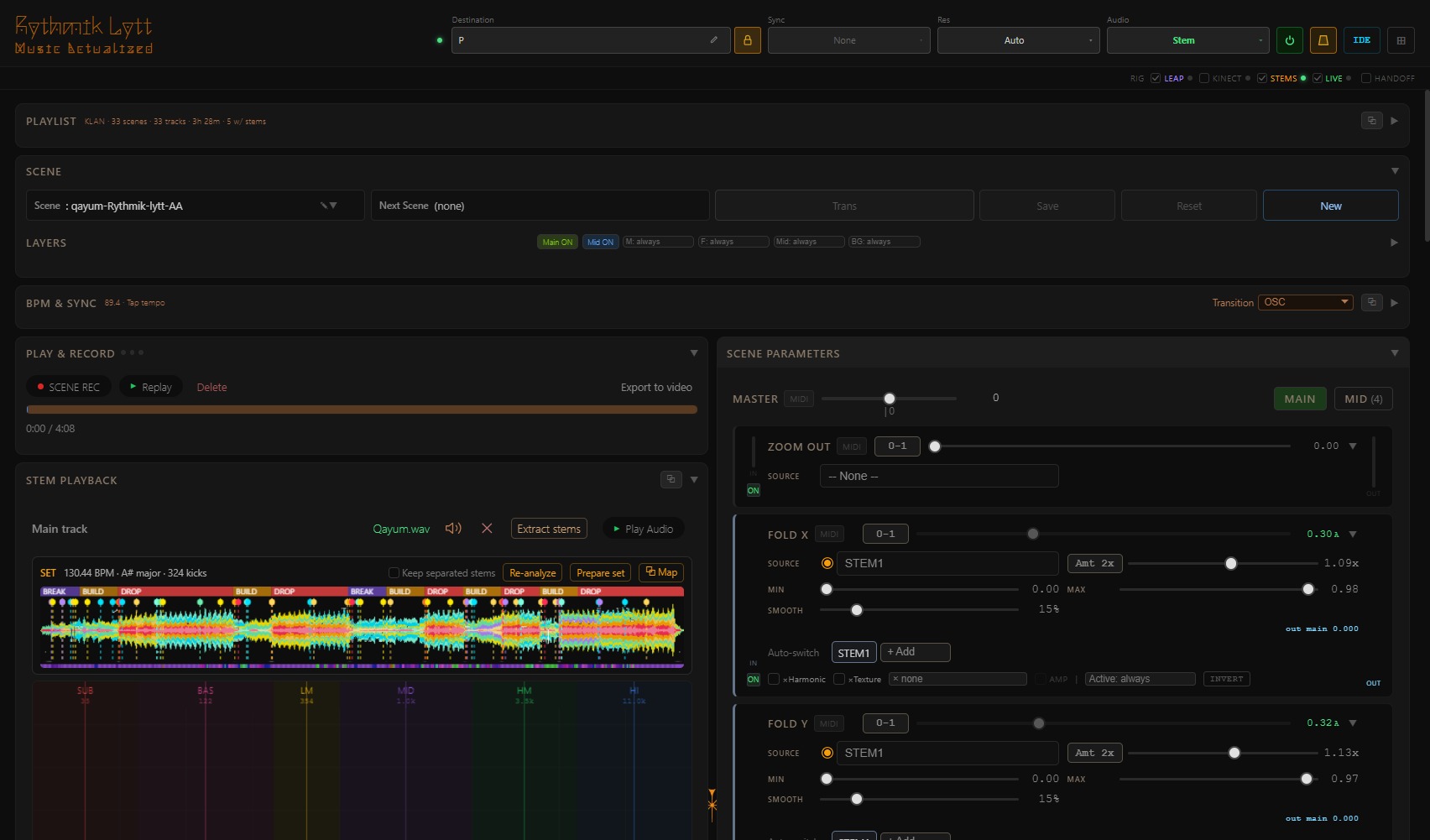
Studio — scene parameters riding the stems of the track
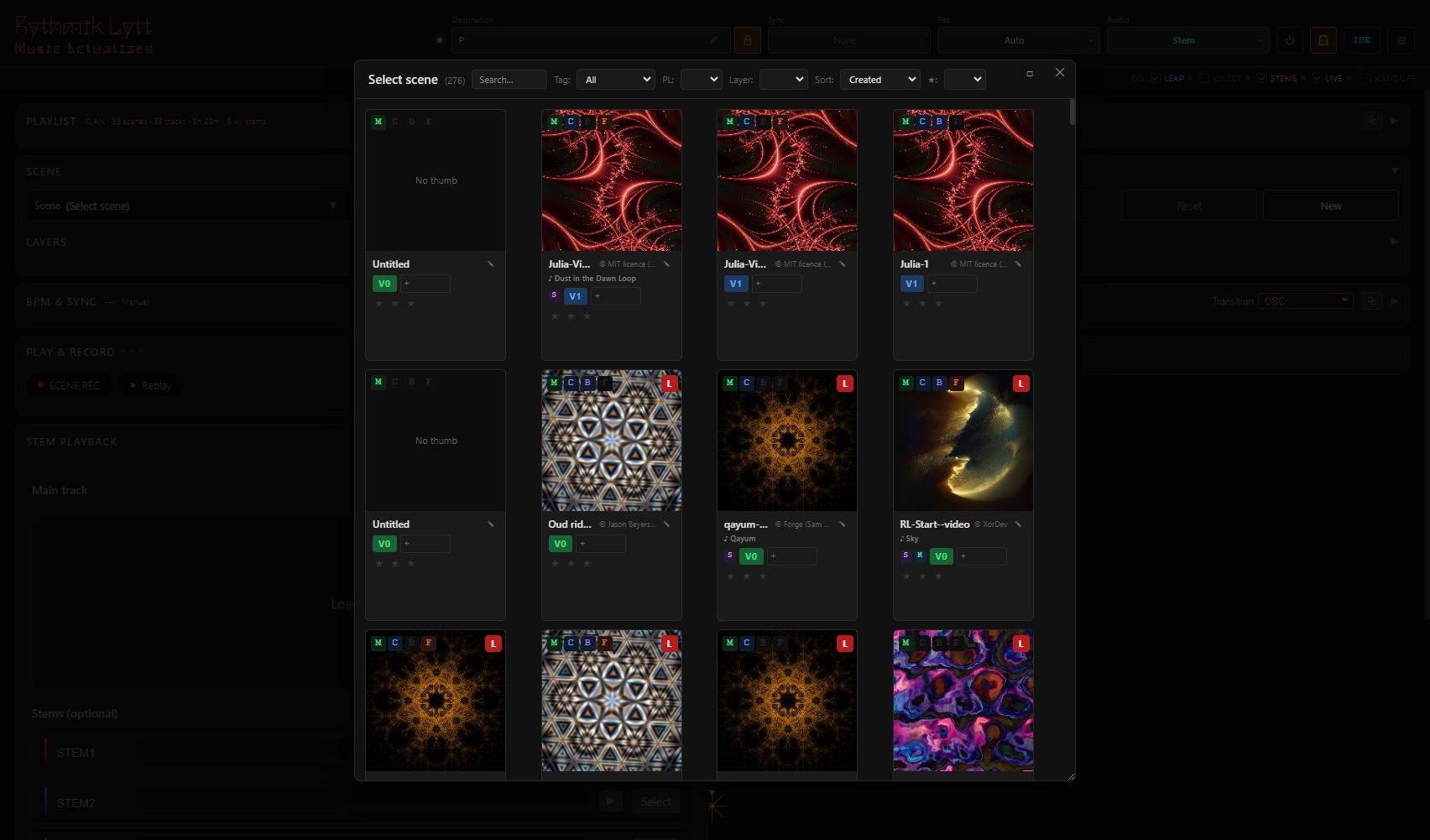
Studio — the scene library
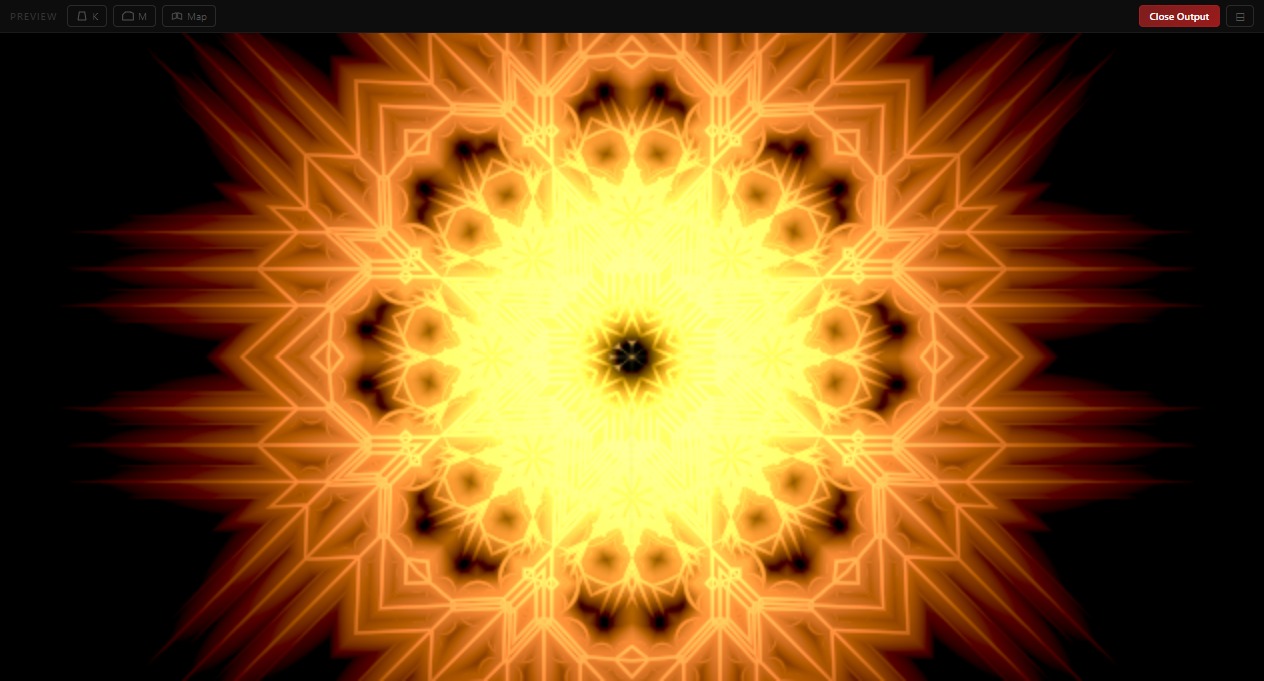
Studio — the live preview

The phone app

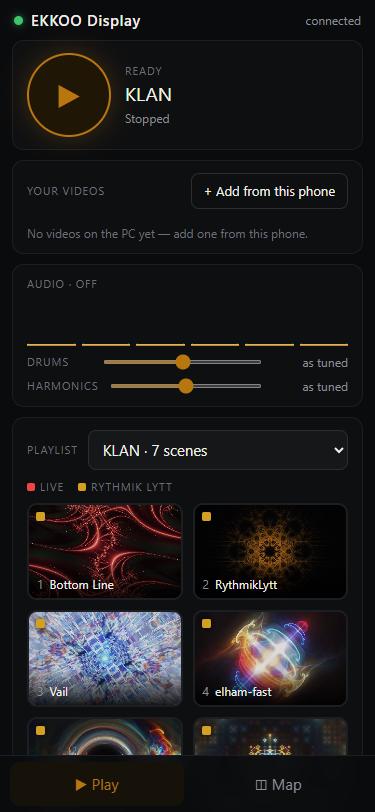
Scan the QR on the player and your phone becomes the remote and the mapping tool — no install needed.

Play — scenes, playlists, your videos, the venue knobs
Map — drag the corners onto the wall
Per-surface controls — opacity, blend, flips